A Facebook feed for your website

Your Page's latest posts, your colours, one line of code. Free to start.

Connect your Facebook Page, pick a layout and colours in a live editor, and paste one line of code into WordPress, Wix, Webflow, Shopify, Squarespace or Framer. The feed shows your Page's latest posts, keeps itself current, and loads nothing from Facebook in your visitors' browsers.

A free Facebook widget for your website

The Free plan is a real plan, not a trial. One Facebook feed, 500 views a month, your Page's latest 12 posts refreshed every day, and a small "Powered by Embedra" badge under the feed. Paid plans remove the badge, add widgets and views, and refresh faster.

01

One widget, 500 views a month

Enough for a small site. A view is one page load with the feed on it; a visitor counts once every 30 minutes.

02

12 posts, refreshed daily

Your Page's latest posts, photos copied to our storage so they load from us, not from Facebook.

03

Every layout and colour

Timeline, Post Grid, Masonry and the rest, the Page header and your colours are all on Free.

04

Upgrade when you grow

Starter adds 3 widgets, 15,000 views and 24 posts at 6-hour refresh; Pro 10 widgets, 75,000 views and 60 posts, refreshed hourly.

Nothing from Meta loads in your visitors' browsers.

What the Facebook feed widget shows

Everything a visitor sees is yours to switch on or off.

Try it in the live demo →
01

Your Page header

Your Page's picture, name, follower count and a "Follow on Facebook" button.

02

Posts as cards

Each post's text, its photo and its date. You choose how many lines of text show before it cuts off.

03

Likes, comments and shares

The counts sit under each post. A click opens the post on Facebook, where visitors can join in.

04

Videos and albums

A video shows its picture and an album its cover photo. Both open on Facebook. No video plays on your site.

05

Columns per device

One on phones, three on desktop, or whatever fits your page.

06

Nothing from Meta in the browser

No script, iframe or cookie from Facebook on your pages. The feed is served from Embedra.

Facebook feed layouts: timeline, post grid, masonry and more

Five layouts, each in your colours. Switch the layout, the columns and the theme below. This is the real feed from Embedra's own Facebook Page, and what you design here is exactly what drops into your site.

How to embed your Facebook Page feed on a website

Four steps, once. After that the feed updates by itself, and the same embed code works on every website builder.

The full guide →
01

Connect Facebook and pick your Page

Sign in at app.embedra.io, add a Facebook feed, log in and approve three read-only permissions. Then pick your Page. If it lives in a Meta Business portfolio, click Use a Business portfolio.
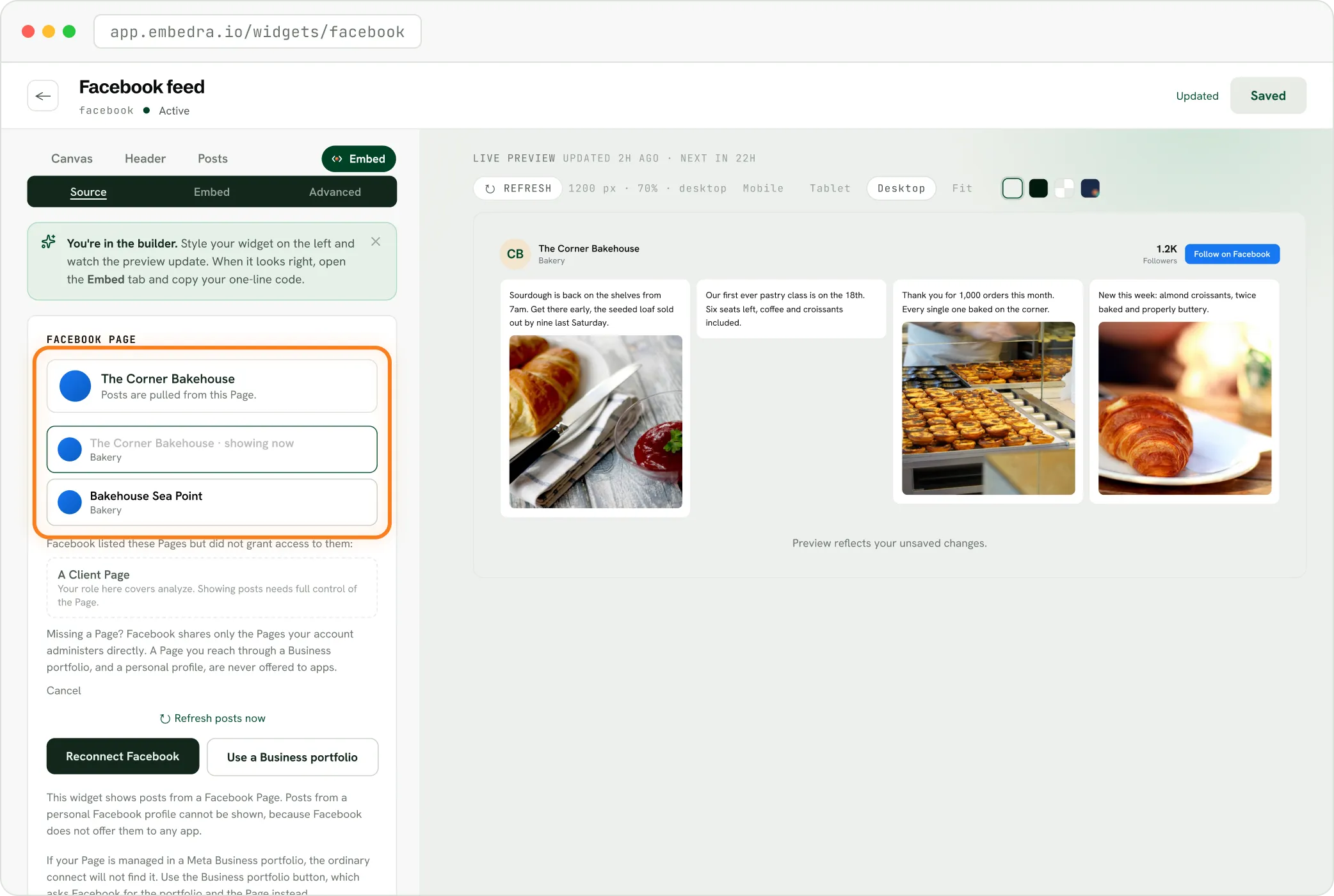
The Embedra builder listing your Facebook Pages after connecting, ready to choose one
02

Pick a look

Choose a layout, columns and colours in the live editor. The preview is your real Page.
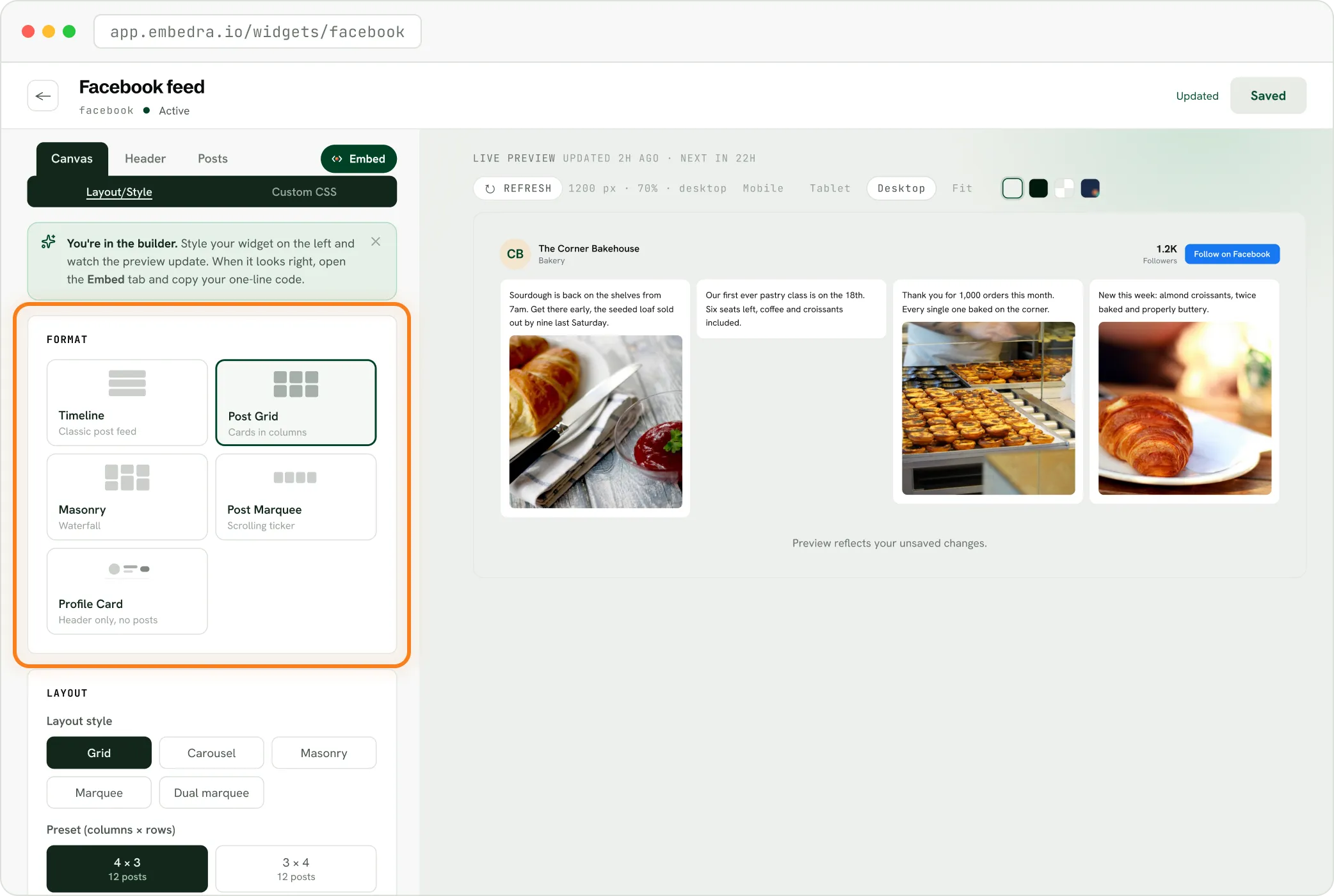
The Embedra builder's layout step for a Facebook feed, choosing Timeline, Post Grid, Masonry, Post Marquee or Profile Card
03

Copy your embed code

Save, then copy the one line.

04

Paste it where the feed should show

A Custom HTML block in WordPress, Embed HTML in Wix, a Code Embed in Webflow, a Code block in Squarespace, Custom Liquid in Shopify, an Embed in Framer.
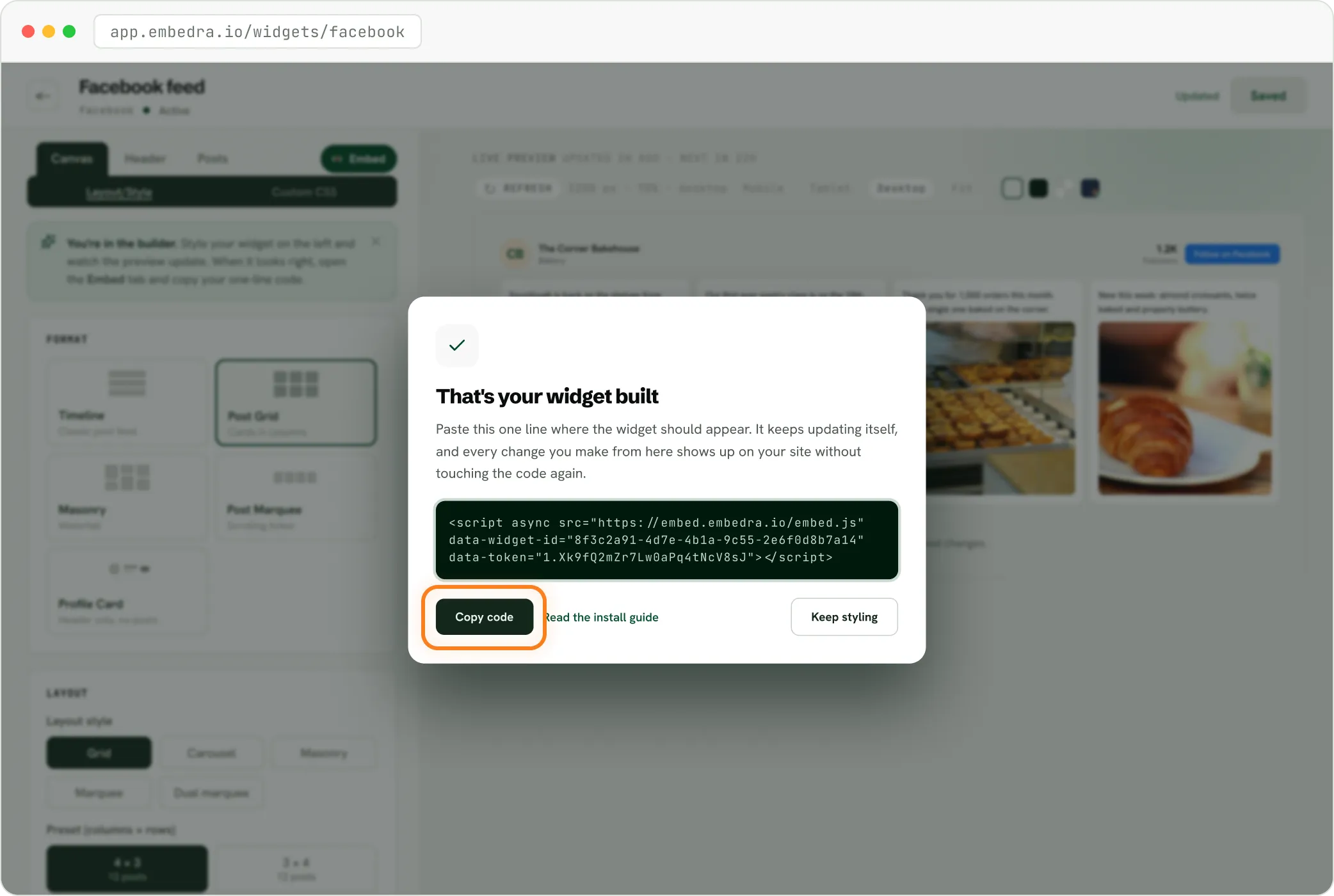
The Embedra builder after saving a Facebook feed, with the one line of code ready to copy

Step by step for each builder: install guides and the Facebook feed guide.

Looking for a Facebook iframe widget?

Embedra's Facebook feed is not an iframe. The one line of code draws your posts straight into your page, so the feed takes your colours and typeface and fills the width you give it.

Meta's Page Plugin is 180 to 500 pixels wide and sizes itself once, when the page loads. Embedra's feed has its own columns for phone, tablet and desktop.

Page Plugin not working? →
✓

Part of your page

The feed renders in its own Shadow DOM, so your CSS cannot break it and it cannot break your page. No window onto another site.

✓

Grows with its posts

On most builders the feed is as tall as its posts. On Wix, which puts any code in a box of its own, drag the box tall enough to fit.

Facebook feed on a WordPress or Wix website

WordPress needs no plugin for a feed: a Custom HTML block on the page does it. On Wix, add Elements, Embed Code, then Embed HTML, choose Code, paste and click Apply. Leave Allowed domains empty on Wix, because Wix runs the code on a Wix address.

All install guides →
01

Add a Custom HTML block

Open the page, click the blue "+" at the top left, type "html" and click Custom HTML.

02

Paste the line

Click Edit HTML, paste your Embedra code into the HTML tab.

03

Save the page

The feed shows on the published page.

Also on Webflow (custom code needs a paid Webflow site plan), Shopify, Squarespace, Framer and plain HTML. Step by step: WordPress · Wix.

What it does, and what it does not

Straight answers, so you know exactly what the feed covers.

✓

Your latest posts

Show your Page's latest posts, with photos, likes, comments and shares: up to 12 on Free, 24 on Starter, 60 on Pro and 120 on Business.

✓

Kept current

Keep them current on your plan's schedule, and keep your last good posts on show if Facebook has an outage.

✓

Served by us

Copy your photos to Embedra's storage, so the feed loads from us and sets no cookies.

✓

Its own Shadow DOM

Render in its own Shadow DOM, so your CSS cannot break it and it cannot break your page.

✓

Your domains only

Load only on the domains you allow.

✕

No video playback

It does not play videos on your site. A video post shows its picture and opens on Facebook.

✕

No personal profiles

It does not show a personal profile, or a Page you do not have full control of.

✕

No Events or Messages

It does not show Events or Messages tabs, or let visitors like and comment from your site.

Start free. Upgrade when you grow.

Every plan includes every layout, the Page header and your colours. Paid plans add widgets, views, more posts and faster refresh.

Compare plans →

Free

$0 forever

500 monthly views

1 widget, 1 user

1 domain

Small Embedra badge

Starter

$7/mo

15,000 monthly views

Any 3 widgets, 2 users

Unlimited domains

Filter what appears

No badge

Pro

Most popular

$16/mo

75,000 monthly views

Any 10 widgets

Unlimited domains

Custom CSS / JS

5 projects, 5 users

No badge

Business

$34/mo

300,000 monthly views

Everything in Pro

Unlimited widgets

1/2 overage rate

15 projects, 15 users

No badge

Free

$0 forever

500 monthly views

1 widget, 1 user

1 domain

Small Embedra badge

Starter

$7/mo

15,000 monthly views

Any 3 widgets, 2 users

Unlimited domains

Filter what appears

No badge

Pro

Most popular

$16/mo

75,000 monthly views

Any 10 widgets

Unlimited domains

Custom CSS / JS

5 projects, 5 users

No badge

Business

$34/mo

300,000 monthly views

Everything in Pro

Unlimited widgets

1/2 overage rate

15 projects, 15 users

No badge

T's & C's Apply

Questions

What people ask before they add a Facebook feed.

All questions →

Is there a free Facebook widget for websites?

Yes. Embedra's Free plan gives you one Facebook feed with 500 views a month, every layout and colour, and a small Powered by Embedra badge. No card needed.

Can I show a personal profile, or a Page I do not manage?

No. You log in with Facebook and pick a Page you have full control of. Facebook does not offer personal profiles to apps.

Do videos play on my website?

No. A video post shows its picture and opens on Facebook when clicked. Embedra stores your photos, not video files.

How many posts does the feed show?

Up to your Page's latest 12 on Free, 24 on Starter, 60 on Pro and 120 on Business. Each post shows its text, a photo, the likes, comments and shares, and the date.

How often does the feed update?

Daily on Free, every 6 hours on Starter, hourly on Pro and every 5 minutes on Business. If Facebook is down, your last good posts stay on show.

Do I need a Meta developer account?

No. You log in with Facebook once, approve three read-only permissions, and Embedra does the rest. There is no app to register and no review to wait for.

Plays nice with whatever you're using.

If your site builder lets you paste a line of custom code, Embedra works. Seamless integration with Webflow, WordPress, Shopify, Wix, Squarespace, and HTML.

Your Facebook Page, live on your site.

Connect your Page, pick a look and paste one line. Free to start, no developer needed.

Build your feed