A POPIA cookie banner for your website

Built for POPIA. Made in South Africa.

POPIA counts cookie IDs and IP addresses as personal information, so tools like Google Analytics and the Meta Pixel should wait until a visitor agrees. Embedra's banner asks first, keeps those tools off until someone says yes, and remembers the answer.

Does POPIA require a cookie banner?

POPIA has no section about cookies. It does not need one. Four parts of the Act already cover what tracking tools do on a website.

Running Google ads? Consent Mode v2 →
§1

Section 1: online identifiers are personal information

The ID a Google Analytics or Meta Pixel cookie stores, and the IP address that comes with it, count.

§18

Section 18: tell people before you collect

A tag that fires the moment the page loads has collected before anyone was told.

§11

Section 11: people may object

A Decline button that genuinely keeps the tags off is how a website respects that.

§72

Section 72: sending data abroad needs a basis

Google, Meta and TikTok process it outside South Africa. The visitor's own consent is the cleanest basis.

So if your site runs analytics or advertising tags, the practical answer is yes: show a banner that asks first. If your site uses only what it needs to work, such as a shopping cart or a login, you may not need one. Your own Information Officer or attorney can confirm what applies to your business.

A tag that fires on page load has collected before anyone was told.

What a POPIA cookie banner should do

Six things a banner needs to get right, and how Embedra does each one.

Design yours →
01

Ask before tracking starts

The banner shows on the first visit. Connected tools stay off until the visitor accepts.

02

Make no as easy as yes

Accept and Decline sit side by side, one click each.

03

Never pre-tick a box

Analytics and Marketing both start switched off in Manage preferences.

04

Let people choose

Necessary is always on. Analytics and Marketing are each the visitor's call.

05

Explain itself

Your own wording, and a link to your privacy policy.

06

Remember the answer

Forever, for 12 months, or for the browser session. You choose.

Design it like it belongs there.

Try the controls below. Adjust the padding, match your brand colors, and pick the perfect placement. What you design here is exactly what drops into your site.

POPIA, Google Analytics and the Meta Pixel

This is where most South African sites go wrong. A banner that only shows a message while Google Analytics, the Meta Pixel or TikTok already run in the background has asked too late. Embedra connects to the tools most sites use, and each one follows its category: Google Analytics and Clarity count as Analytics; Google Ads, the Meta Pixel and TikTok count as Marketing. A visitor who allows only Analytics gets none of the advertising pixels you connected.

How Consent Mode v2 works with it →
Google AnalyticsGoogle AdsTag ManagerClarityMeta PixelTikTok

Embedra loads it

Paste the tool's ID, such as your G- ID or your Pixel ID, and remove the old tag. The banner loads the tool only after a visitor accepts. Before that, nothing is sent to Google or Meta at all.

Consent Mode v2Clarity consentMeta consentTikTok consent

It is already on my site

Keep the app or plugin you installed it with. The banner tells each tool the visitor's answer: Google Consent Mode v2 for Google, and the consent controls built into Clarity, the Meta Pixel and TikTok.

Running Meta ads? You need a cookie notice on every page

If the Meta Pixel is on your website, two sets of rules apply at once: Meta's own terms ask for a notice, and POPIA asks for a choice. A banner that only shows a message while the Pixel already runs gives people no choice. Ads that only run on Facebook and Instagram, with no Pixel on your site, need nothing on the website. The moment you add the Pixel to track conversions or retarget visitors, you need both a notice and a choice.

The banner, in detail →
01

Meta's terms require a notice

Meta's Business Tools Terms require a clear and prominent notice on every page where the Pixel runs, linking to how third parties, including Meta, use cookies on your site and how people can opt out of ad targeting.

02

POPIA asks you to ask first

The ID the Pixel stores, and the IP address that comes with it, are personal information, and Meta processes them outside South Africa. The Pixel should wait for a yes.

03

The banner covers both

It shows on every page with a link to your privacy policy, which is the notice Meta asks for. And it holds the Pixel back until the visitor allows Marketing, then lets your conversion tracking run.

The website part of a POPIA checklist

POPIA covers far more than your website. These are the parts a visitor can see.

The banner guide →
01

A privacy policy

What you collect, why, who you share it with and how people reach you. Link it from your footer and from the banner.

02

A registered Information Officer

Every responsible party must register one with the Information Regulator. It is free, on the Regulator's eServices portal.

03

Forms that ask only what you need

A contact form rarely needs an ID number.

04

Consent before tracking

A banner that asks first, with your tools connected to it.

05

A safe connection

Your whole site on HTTPS.

Do I need a cookie policy?

POPIA does not name one, but if you run the Meta Pixel, Meta's terms ask for a cookie notice (see Running Meta ads, above). A cookies section in your privacy policy, linked from the banner, covers it.

How to add a POPIA cookie banner to your website

Six steps, once. After that, every change you make in the editor shows up on your site by itself.

The full guide →
01

Create a free account

At app.embedra.io, then add a Cookie Banner.

02

Pick its shape

A bar along the bottom or the top, a card in the corner, or a full-screen choice.
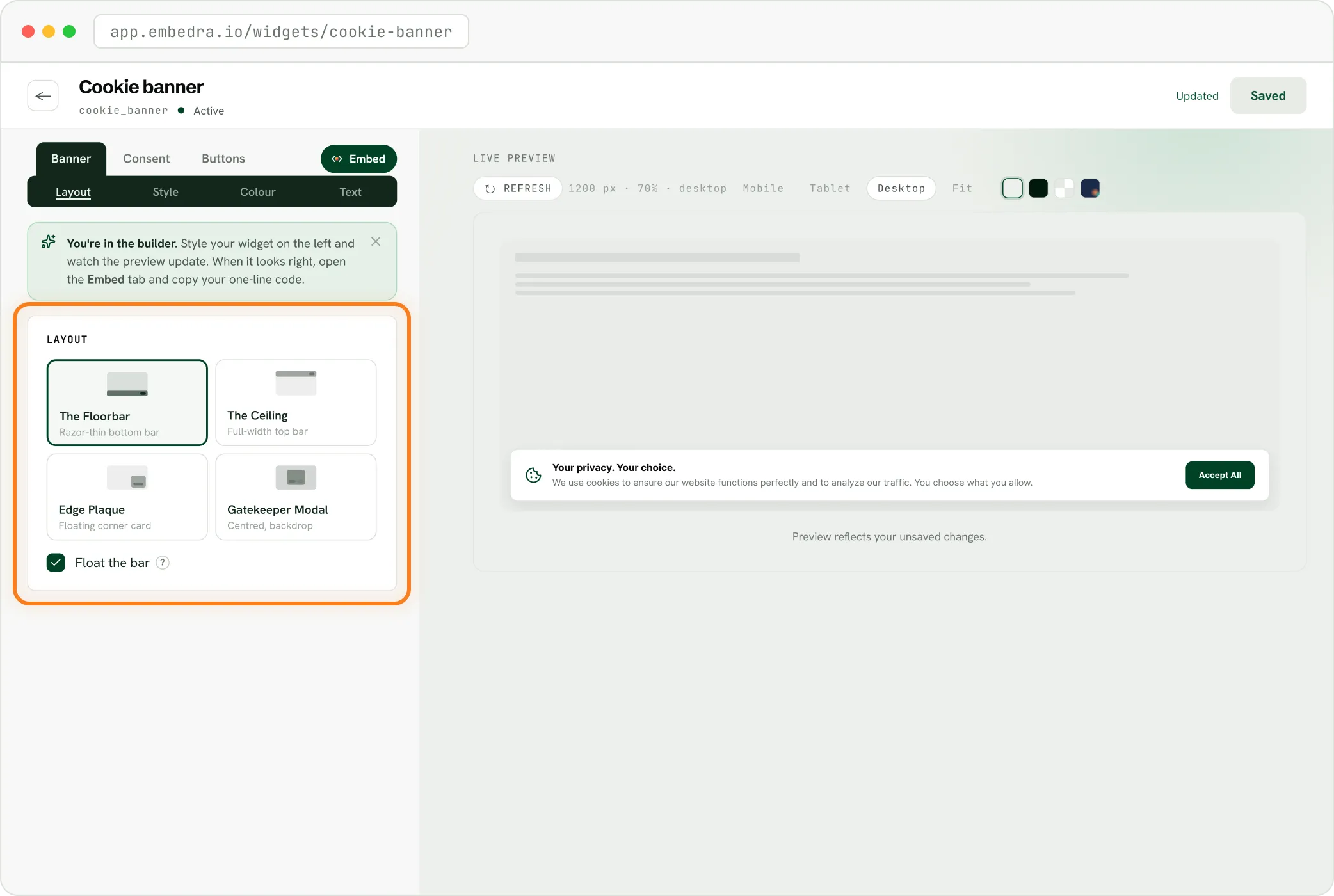
The Embedra builder with a new cookie banner open, choosing where it sits: Floorbar, Ceiling, Edge Plaque or Gatekeeper Modal
03

Keep Strict Compliance on

New banners start with Accept, Decline and Manage preferences.

04

Connect your tools

Under Tracking tools, switch on the ones your site uses and paste their IDs.
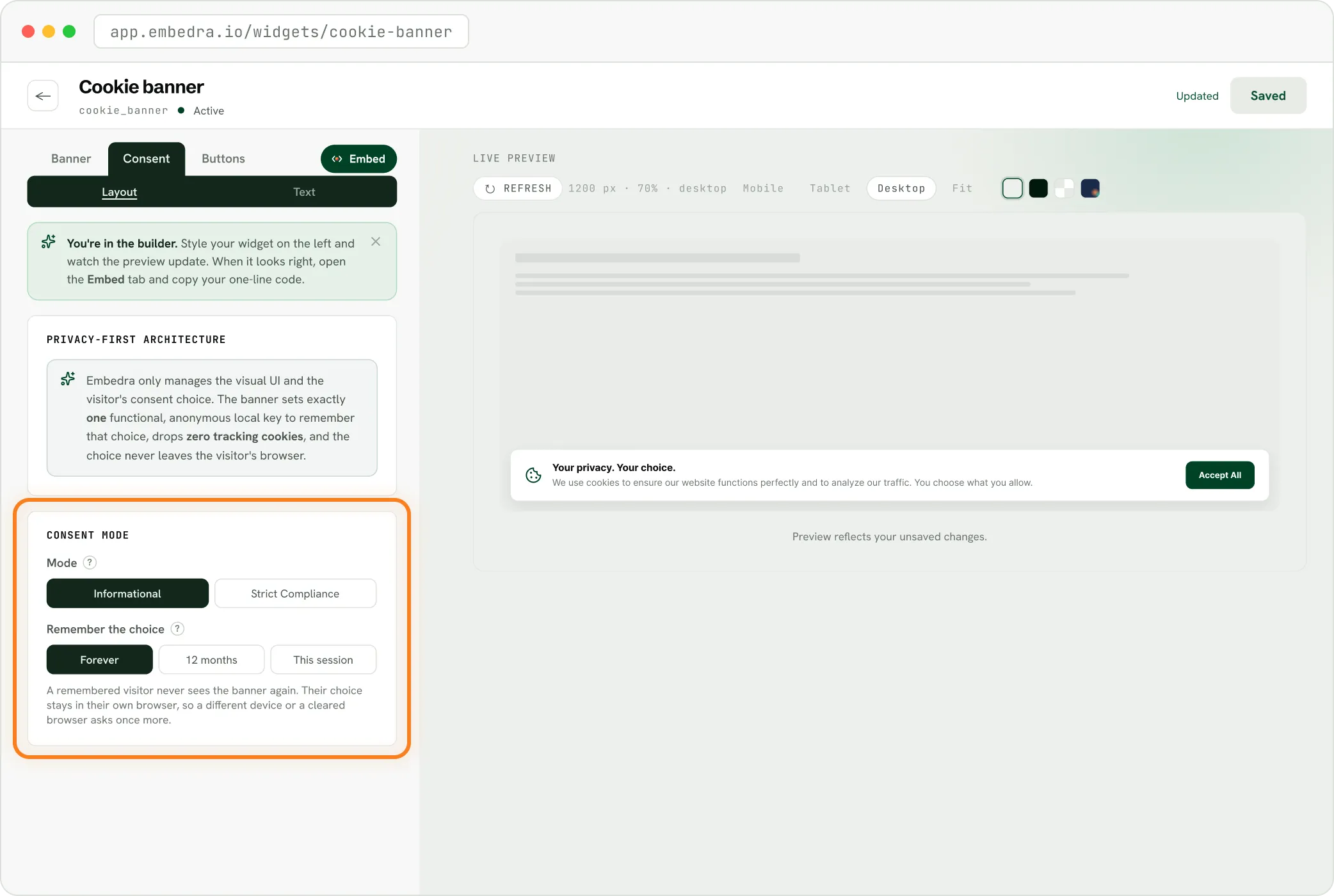
The Embedra builder's Consent panel, choosing Informational or Strict Compliance and how long to remember a choice
05

Add your privacy policy link

And your website's address.

06

Paste one line of code

Into your site's footer, once, so it runs on every page.
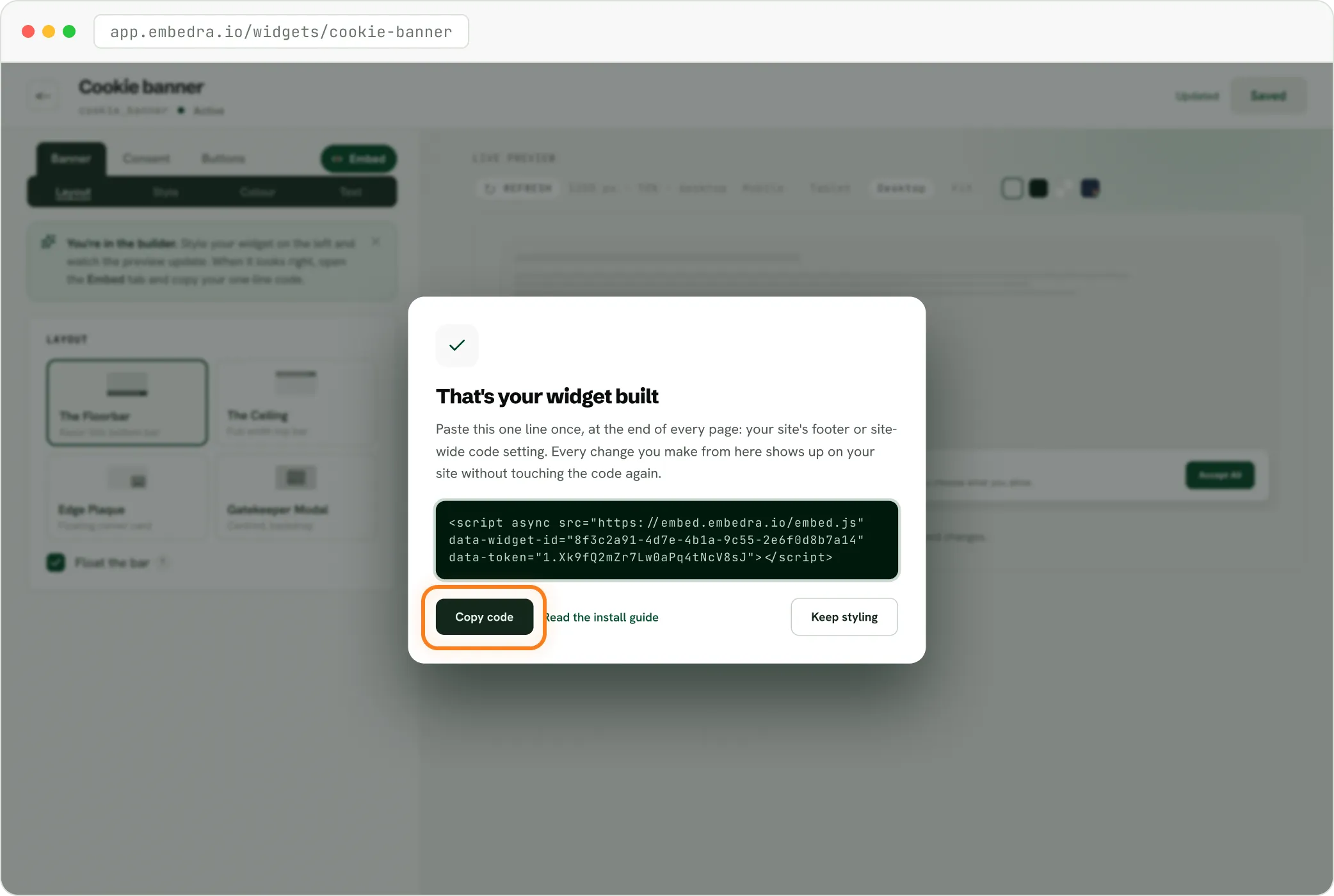
The Embedra builder after saving a cookie banner, with the one line of code ready to copy

Step-by-step guides: Webflow, WordPress, Wix, Shopify, Squarespace, Framer and plain HTML.

What it does, and what it does not

Straight answers, so you know exactly what the banner covers.

✓

Asks first

Ask first, and keep connected tools off until a visitor agrees.

✓

Two categories

Let visitors choose Analytics and Marketing separately.

✓

No cookies of its own

One small entry in the visitor's browser remembers their answer, and it is never sent to Embedra.

✓

Part of your site

Your colours, your wording, four shapes.

✕

No site scanner

It does not scan your site for every script on it. It controls the tools you connect, and anything else you wrap in its browser event.

✕

No reopen link yet

A visitor cannot yet reopen their choice from a Cookie settings link. That is next.

✕

Not the whole of POPIA

It does not make your business POPIA compliant on its own. Your privacy policy, Information Officer and how you handle data inside the business are still yours to get right.

Plays nice with whatever you're using.

If your site builder lets you paste a line of custom code, Embedra works. Seamless integration with Webflow, WordPress, Shopify, Wix, Squarespace, and HTML.

Start free. Upgrade when you grow.

Every plan includes every tracking tool. The banner counts a view each time it loads, and a visitor counts once every 30 minutes.

Free

$0 forever

500 monthly views

1 widget

1 domain

Small Embedra badge

Starter

$7/mo

15,000 monthly views

Any 3 widgets

Unlimited domains

Filter what appears

No badge

Pro

Most popular

$16/mo

75,000 monthly views

Any 10 widgets

Unlimited domains

Custom CSS / JS

5 projects

No badge

Business

$34/mo

300,000 monthly views

Everything in Pro

Unlimited widgets

1/2 overage rate

15 projects

No badge

Free

$0 forever

500 monthly views

1 widget

1 domain

Small Embedra badge

Starter

$7/mo

15,000 monthly views

Any 3 widgets

Unlimited domains

Filter what appears

No badge

Pro

Most popular

$16/mo

75,000 monthly views

Any 10 widgets

Unlimited domains

Custom CSS / JS

5 projects

No badge

Business

$34/mo

300,000 monthly views

Everything in Pro

Unlimited widgets

1/2 overage rate

15 projects

No badge

Questions

The ones South African site owners ask most about POPIA and cookie banners.

All questions →

Is a cookie banner required by law in South Africa?

POPIA does not mention cookies by name. If your site uses analytics or advertising tools, its rules on personal information, notice and objection apply to them, and a banner that asks first is how most sites meet them.

Does this make my website POPIA compliant?

No tool can do that alone. The banner handles consent for tracking on your website. Your privacy policy, your registered Information Officer and how your business handles personal information still matter.

Does it work with Google Tag Manager?

Yes. Paste your GTM container ID and the banner loads it after consent, with Google Consent Mode v2 set from the visitor's choice. Or keep your existing Tag Manager setup and let the banner send the Consent Mode signal.

What happens when a visitor clicks Decline?

The tools you connected never load, or are told to stay off. The answer is remembered, so the banner does not ask again on every page.

Will it slow my website down?

The banner loads after your page and fetches only the code it needs. It sets no cookies of its own.

Can I use it on Webflow, WordPress, Wix or Shopify?

Yes, on any site where you can paste a line of code into the footer. Each platform has a step-by-step guide.

Ready to fix your privacy banner?

Drop a consent-first cookie banner into your site in under five minutes. No plugins and no developer required.

Upgrade your banner