Google Consent Mode v2 is how your website tells Google's tags what a visitor agreed to. It asks nobody anything, so it needs a banner that does. Embedra's banner asks, starts every signal at denied, and sends the visitor's answer to Google Analytics, Google Ads and Tag Manager.
Consent Mode is Google's way for a website to pass a visitor's cookie choice to Google's tags. Version 2 added two advertising signals to the original two, so there are four, and each one is either granted or denied. Consent Mode is only the messenger. It shows no banner and asks no question. The banner asks, and Consent Mode carries the answer to every Google tag on the page.
How the banner fits POPIA →Lets Google Analytics use cookies, such as the one that measures visit length. Follows the visitor's Analytics choice.
Lets Google's advertising tags use cookies. Follows the visitor's Marketing choice.
New in v2. Allows sending data to Google for advertising, which Google Ads conversion tracking needs. Follows Marketing.
New in v2. Allows personalised ads, such as remarketing. Follows Marketing.
Not sure how your site starts today? The free Consent Mode Checker loads your homepage as a first-time visitor and shows whether the four signals start as denied.
Consent Mode asks nobody anything. It needs a banner that does.
If your ads reach people in Europe, yes. For a South African audience, Google does not demand it, but POPIA asks for the same thing: a yes before tracking.
The banner that sends it →Google asks advertisers who receive data from visitors in the European Economic Area to send Consent Mode v2. Its EU user consent policy also covers the UK and Switzerland.
Google's rule is written for Europe. Here POPIA applies: cookie IDs and IP addresses are personal information, and people must be told before you collect them.
Google's own reference says ad_user_data and ad_personalization must both be granted for personalised advertising. Embedra sends all four signals.
Try the controls below. Adjust the padding, match your brand colors, and pick the perfect placement. What you design here is exactly what drops into your site.
Google describes two ways to run Consent Mode. In basic, Google's tags stay blocked until the visitor chooses, and nothing reaches Google before that. In advanced, the tags load straight away with every signal denied and send cookieless pings, which Google uses to model the conversions it cannot count. Embedra does both, and you pick per tool. We recommend basic: it is the easiest to explain to a visitor, because nothing is sent before a yes.
Set it up →Paste your G-, AW- or GTM- ID and remove the old tag. The banner loads Google's tag only after the visitor allows it, with Consent Mode already set from their choice.
Keep your Google tag or plugin and paste the banner's head code above it. Every signal starts denied, and the visitor's choice updates them.
Paste your GTM- container ID and the banner loads your container once the visitor allows Analytics or Marketing, with Consent Mode set from their choice before any tag runs. Or keep the container you have, put the banner's head code above it, and let the banner send the update. Either way the defaults are in place before your container starts, so there is no consent tag to build in Tag Manager.
Try the banner →Google Ads, Google Analytics and Floodlight tags have consent checks built in. They read the signals with no extra setup.
For anything else in your container, such as an ad pixel, open the tag's consent settings, choose "Require additional consent for tag to fire" and add ad_storage.
A visitor who allows only Analytics gets analytics_storage granted and the three ad signals denied, so your Google Ads tags hold back.
If the Meta Pixel is on your website, two sets of rules apply at once: Meta's own terms ask for a notice, and POPIA asks for a choice. A banner that only shows a message while the Pixel already runs gives people no choice. Ads that only run on Facebook and Instagram, with no Pixel on your site, need nothing on the website. The moment you add the Pixel to track conversions or retarget visitors, you need both a notice and a choice.
The banner and POPIA →Meta's Business Tools Terms require a clear and prominent notice on every page where the Pixel runs, linking to how third parties, including Meta, use cookies on your site and how people can opt out of ad targeting.
The ID the Pixel stores, and the IP address that comes with it, are personal information, and Meta processes them outside South Africa. The Pixel should wait for a yes.
It shows on every page with a link to your privacy policy, which is the notice Meta asks for. And it holds the Pixel back until the visitor allows Marketing, then lets your conversion tracking run.
Not under that name: Consent Mode v2 is Google's. The Meta Pixel has its own consent switch, and the banner works it for you. TikTok and Microsoft Clarity have one too.
Every tool the banner holds back →Google Ads, Meta and TikTok count as Marketing. Google Analytics and Clarity count as Analytics. Allow only Analytics, and no ad pixel runs.
Six steps, once, the same on every platform. The banner's code goes in your site's footer, so it runs on every page.
The full guide →At app.embedra.io, then add a Cookie Banner.
New banners start with Accept, Decline and Manage preferences.
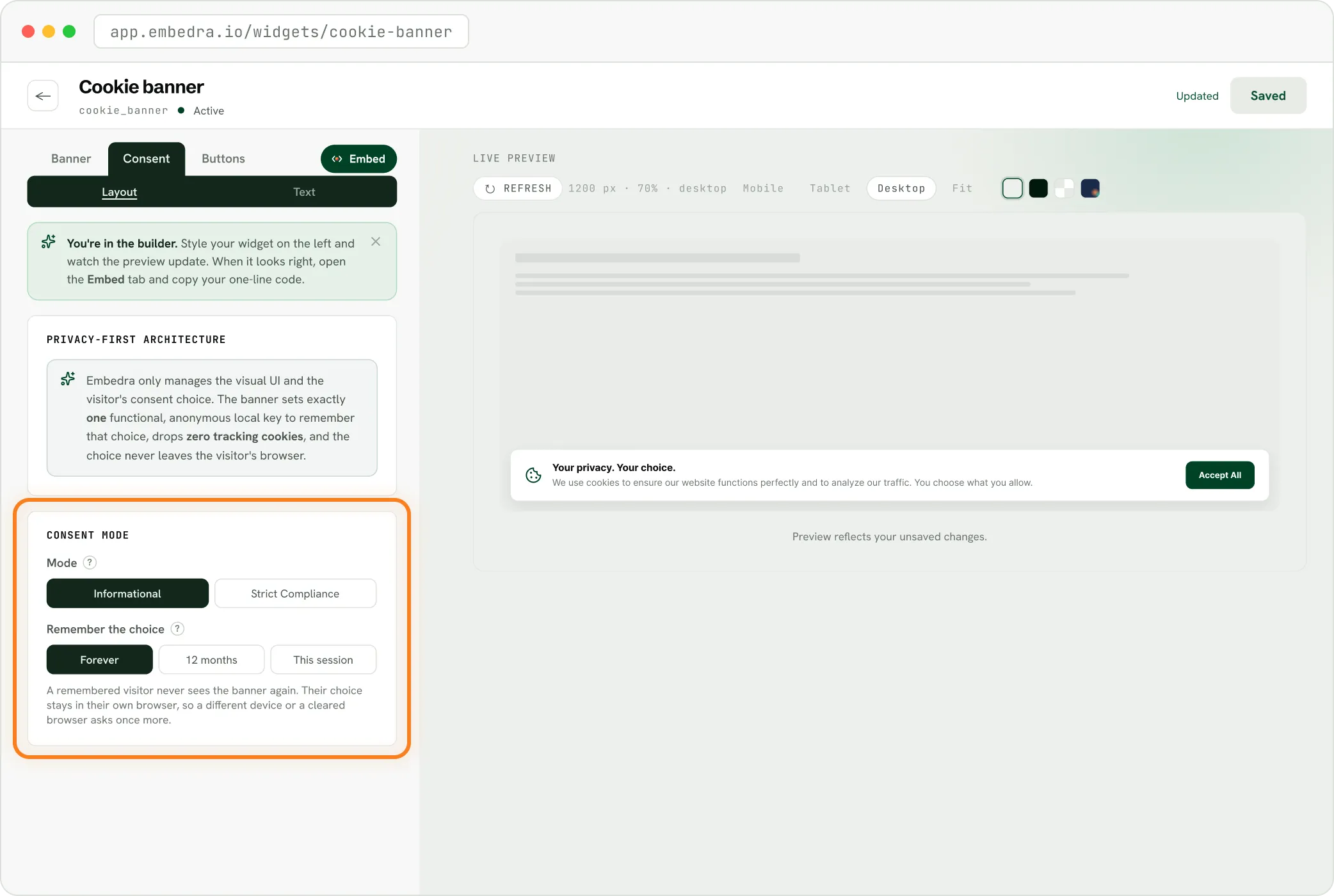
Under Tracking tools, switch on Google Analytics, Ads or Tag Manager, and any other tool your site runs.
Embedra loads it (paste the ID), or Already on my site.
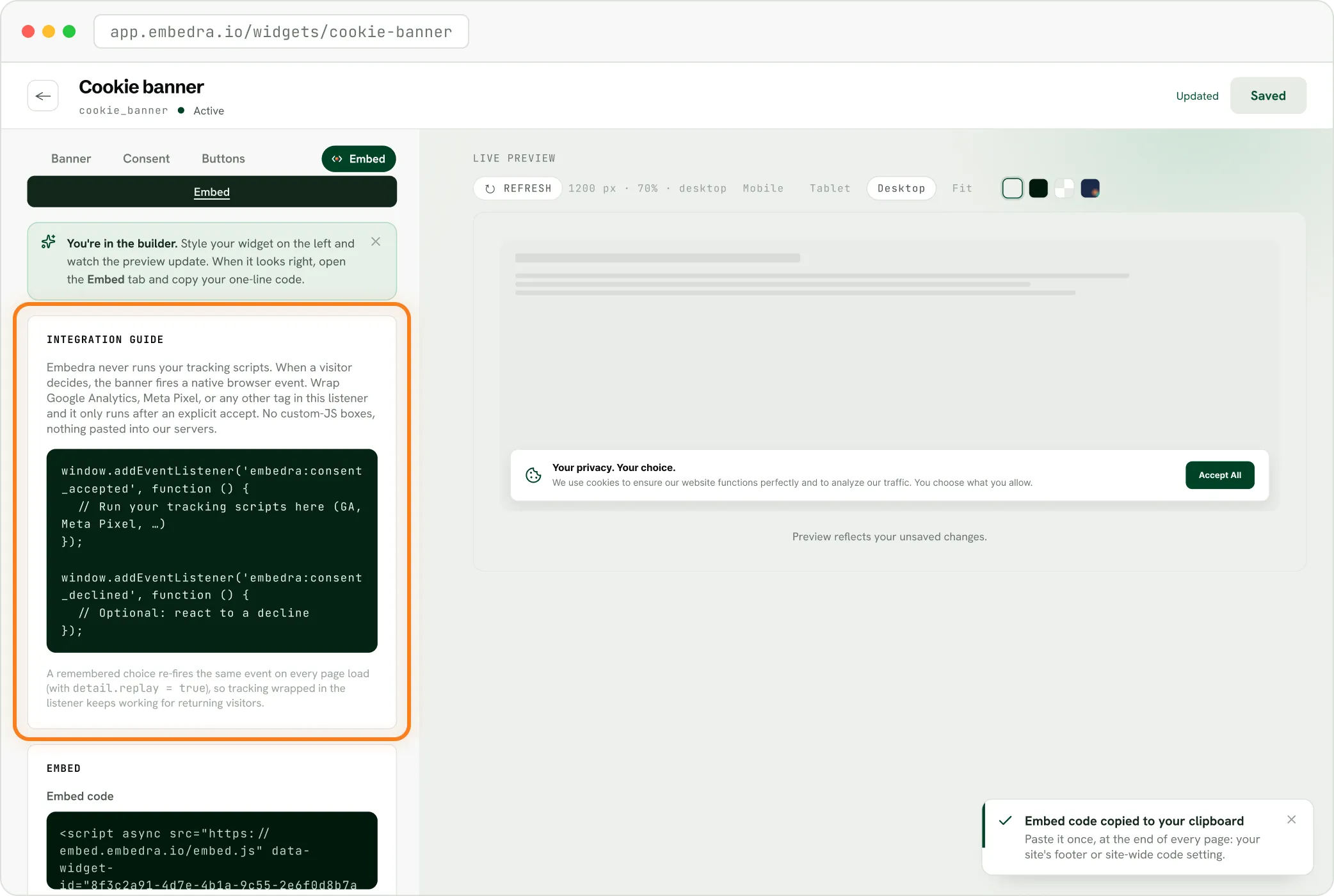
If Embedra loads it, remove any other copy of the tag. If not, paste the head code from Embed, Integration guide at the very top of your head.
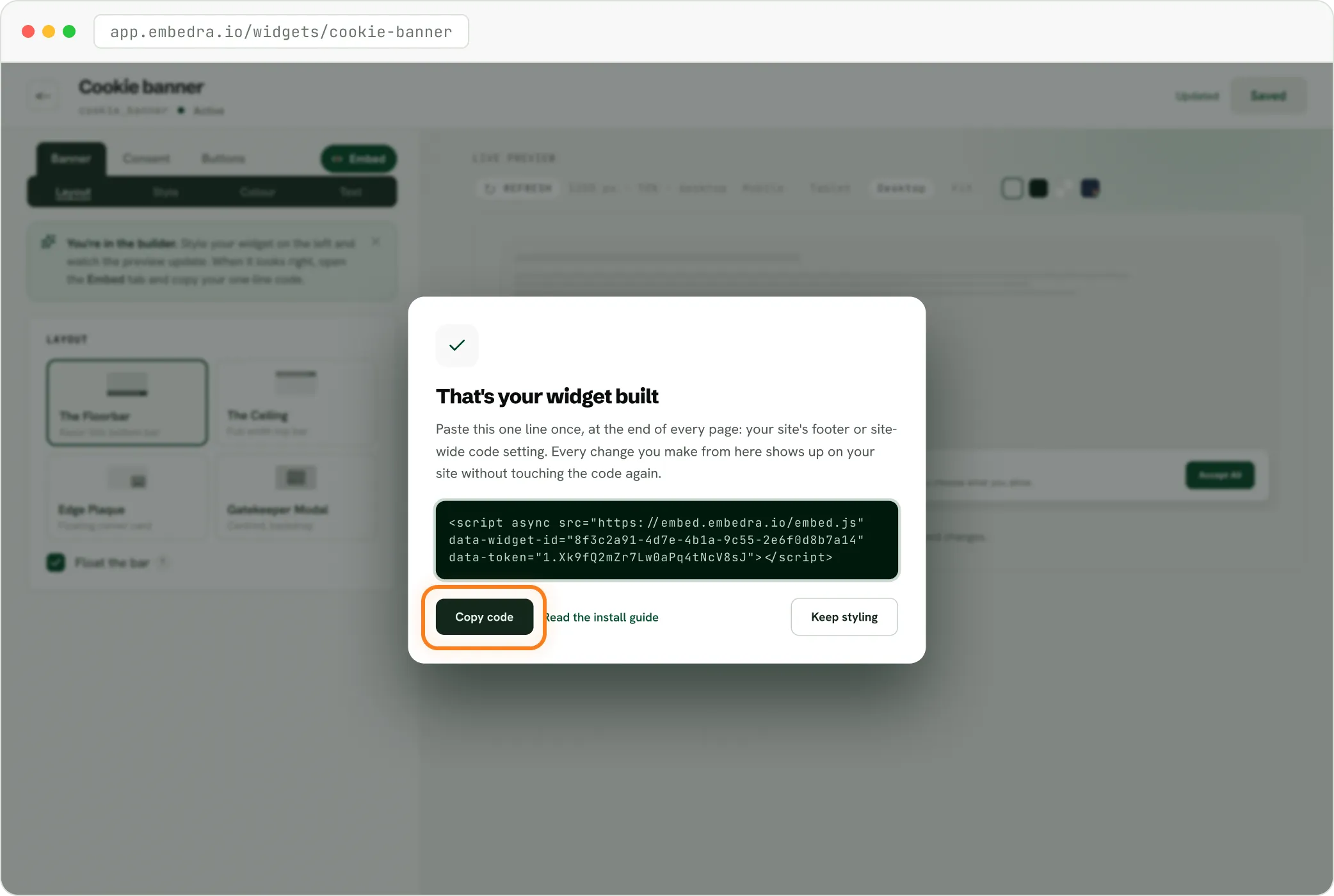
Into your site's footer, once, so it runs on every page.
On Shopify, pixels added through Shopify apps follow Shopify's own consent setting, which the banner does not set yet. Let the banner load your Google tag and Pixel instead, or manage those apps in Shopify's privacy settings.
Step-by-step guides: Webflow, WordPress, Wix, Shopify, Squarespace, Framer and plain HTML.
Straight answers, so you know exactly what the banner covers.
Start every Google signal at denied, then send the visitor's choice.
Load Google, Meta, TikTok and Clarity only after a yes, or hold back the ones already on your site.
Keep Analytics and Marketing apart, so an Analytics-only yes never runs your ads.
Set no cookies of its own, and send nothing to Embedra.
It does not scan your site for tags. It controls the tools you connect, and anything else you wrap in its browser event.
The answer stays in the visitor's browser. Google's EU user consent policy asks for consent records for visitors from Europe, the UK and Switzerland.
A visitor cannot yet reopen their choice from a Cookie settings link. That is next.
If your site builder lets you paste a line of custom code, Embedra works. Seamless integration with Webflow, WordPress, Shopify, Wix, Squarespace, and HTML.
Every plan includes every tracking tool. The banner counts a view each time it loads, and a visitor counts once every 30 minutes.
Most popular
75,000 monthly views
Any 10 widgets
Unlimited domains
Custom CSS / JS
5 projects
No badge
Consent Mode itself is a free Google feature, but it needs a banner to drive it. Embedra's Free plan includes Consent Mode v2 and every tracking tool, for one banner and 500 views a month.
Google requires it for visitors in the European Economic Area. In South Africa, POPIA is the rule that applies: it asks you to tell people before you collect their information, and lets them object. Consent Mode is how your Google tags hear their answer.
Yes. Paste your GTM- container ID and the banner loads it after consent, with Consent Mode v2 set from the visitor's choice. Or keep your container, add the head code above it, and let the banner send the update.
Either, your choice per tool. Let Embedra load your Google tag and nothing reaches Google before a yes, which is basic. Keep your own tag with the head code and Google's tags load with every signal denied, which is advanced.
Not Google's. The Pixel has its own consent switch, and the banner uses it: revoked until the visitor allows Marketing, then granted.
Every Google signal stays denied, and the tools Embedra loads never load. The answer is remembered, so the banner does not ask again on every page.