Meta switched off its Like and Comment buttons for other websites on 10 February 2026, and its Page Plugin still depends on Facebook's script loading in every visitor's browser. Embedra's Facebook feed shows your Page's latest posts as part of your own site, in your colours, at any width.
Usually one of four reasons. Two you can fix in a minute. The other two you cannot, because the plugin is drawn by Facebook's own script in each visitor's browser.
The Facebook feed →Meta switched both off on 10 February 2026. They now render as an invisible 0x0 element, and Meta offers no replacement.
Meta's own guide says Pages with privacy restrictions cannot be embedded. Check your Page's settings.
The plugin is 180 to 500 pixels wide and sizes itself once, when the page loads. Resize the window and it does not follow.
Firefox blocks common tracking scripts, Facebook's among them, in Private Browsing and in its strict tracking protection.
A spinner that never stops, or an empty box where your posts should be? Open your site in another browser with no extensions. If it works there, a privacy setting is blocking Facebook, and some of your visitors see the same empty box.
Yes, for other websites. Meta announced it on 10 November 2025 and switched the Like and Comment buttons off on 10 February 2026. The Page Plugin was not part of that change.
What replaces it →Since 10 February 2026 they render as an invisible 0x0 element. Your site keeps working, but the button is gone.
Meta says no replacement plugins are being provided. Removing the old code is optional, and Meta recommends it.
Meta still lists the Page Plugin, the Share button, Embedded Posts and the embedded video player.
Try the controls below: switch the layout, the columns and the theme. This is the real feed from Embedra's own Facebook Page, not a picture of one.
Embedra fetches your Page's posts on its own servers and shows them on your website as part of the page. Your visitors' browsers never contact Facebook, so there is no Facebook script for a privacy setting to block, and no 500 pixel limit.
Each post shows its text, a photo, the likes, comments and shares, and the date, and opens on Facebook when clicked. A header with your Page's picture and a Follow on Facebook button sits on top. If Facebook has an outage, your last good posts stay on show.
See every option on the Facebook feed page.
Facebook's code has two parts: its JavaScript SDK, loaded from connect.facebook.net, and a placeholder where the plugin draws itself. Miss either one and nothing shows. A single embedded post has one more rule: it has to be public.
Where code goes on each builder →Meta's own guide says a post must be public, shown by the grey globe icon, before it can go on another website.
The Page Plugin and embedded posts are both drawn by Facebook's script, so a browser that blocks it shows neither.
Embedra's Facebook feed installs with one line of code, the same on every website builder, and the posts come with it.
Your Page's posts as part of your site, not a box drawn by Facebook.
Both put your Page on your website. This is where they differ.
Every option on the feed page →The Page Plugin is 180 to 500 pixels wide, set when the page loads. Embedra fills the space you give it, with its own columns for phone, tablet and desktop.
The Page Plugin is loaded by Facebook's script in each visitor's browser. Embedra serves your posts and photos itself, so visitors' browsers never contact Facebook.
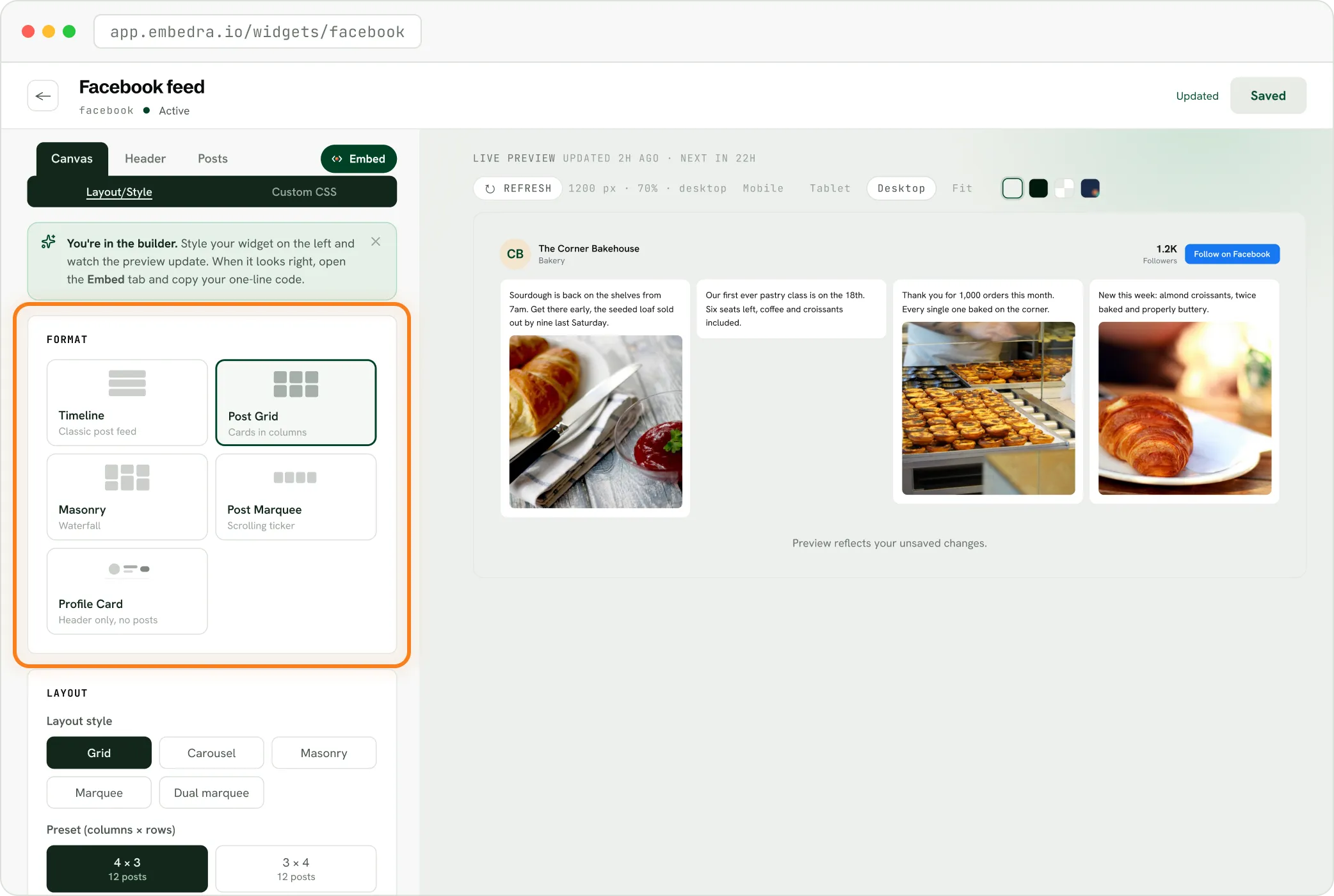
The Page Plugin looks like Facebook. Embedra takes your colours and typeface, and five layouts: Timeline, Post Grid, Masonry, Post Marquee and Profile Card.
The Page Plugin can only show what Facebook sends at that moment. Embedra keeps your last good posts on show.
The Page Plugin can show any public Page. Embedra shows Pages you have full control of, not other people's.
The Page Plugin is free. Embedra's Free plan covers one widget and 500 views a month, and paid plans add more.
Six steps, once. After that the feed updates by itself.
The full guide →At app.embedra.io, then click + New widget and pick Facebook.
Log in and approve three read-only permissions. Embedra never sees your password.
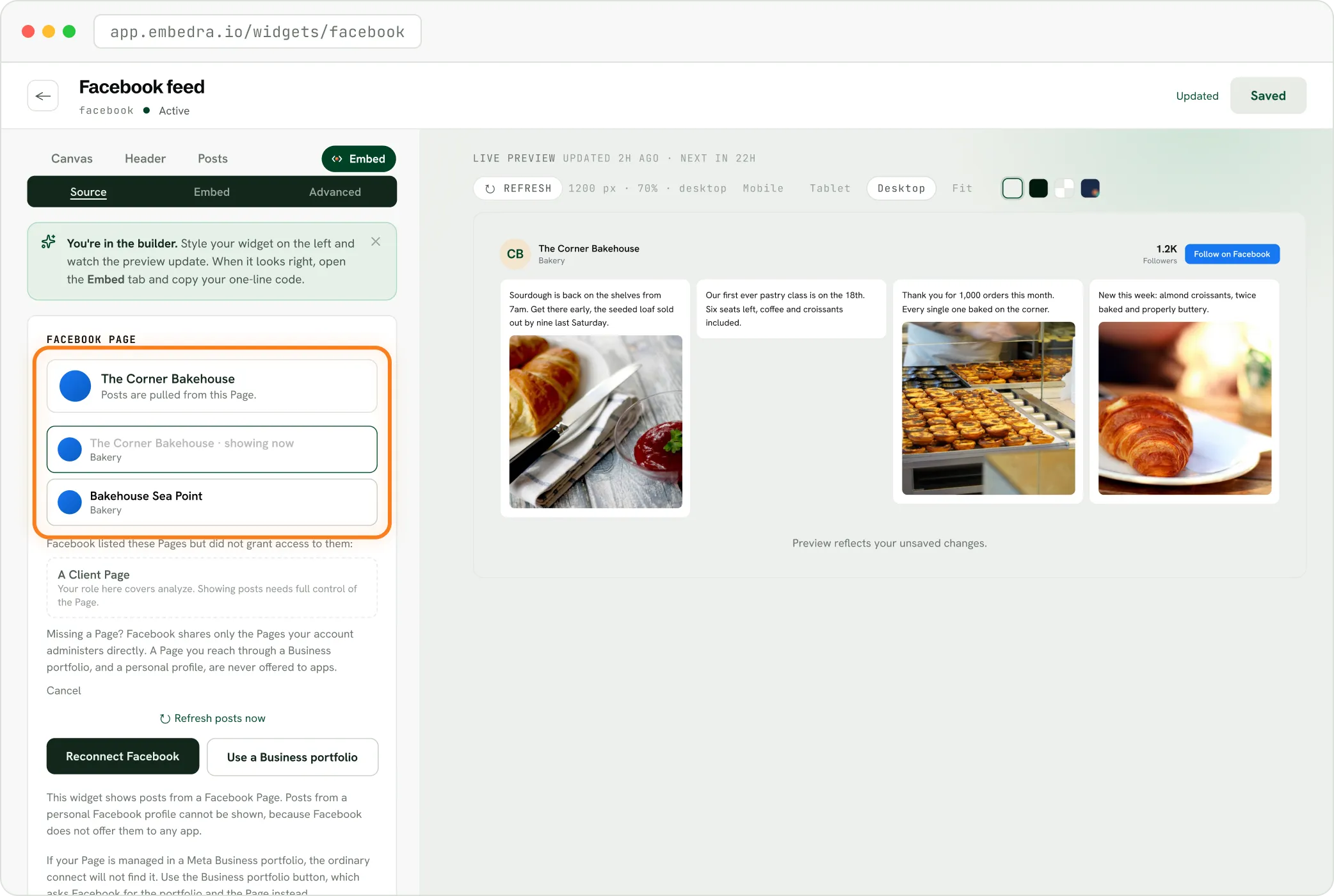
Pick it from the list. If it lives in a Meta Business portfolio, click Use a Business portfolio.
Timeline, Post Grid, Masonry, Post Marquee or Profile Card, in your colours.
Delete the Page Plugin code, and Facebook's SDK script if nothing else on your site uses it.
Where the plugin used to be. The feed fills the space.
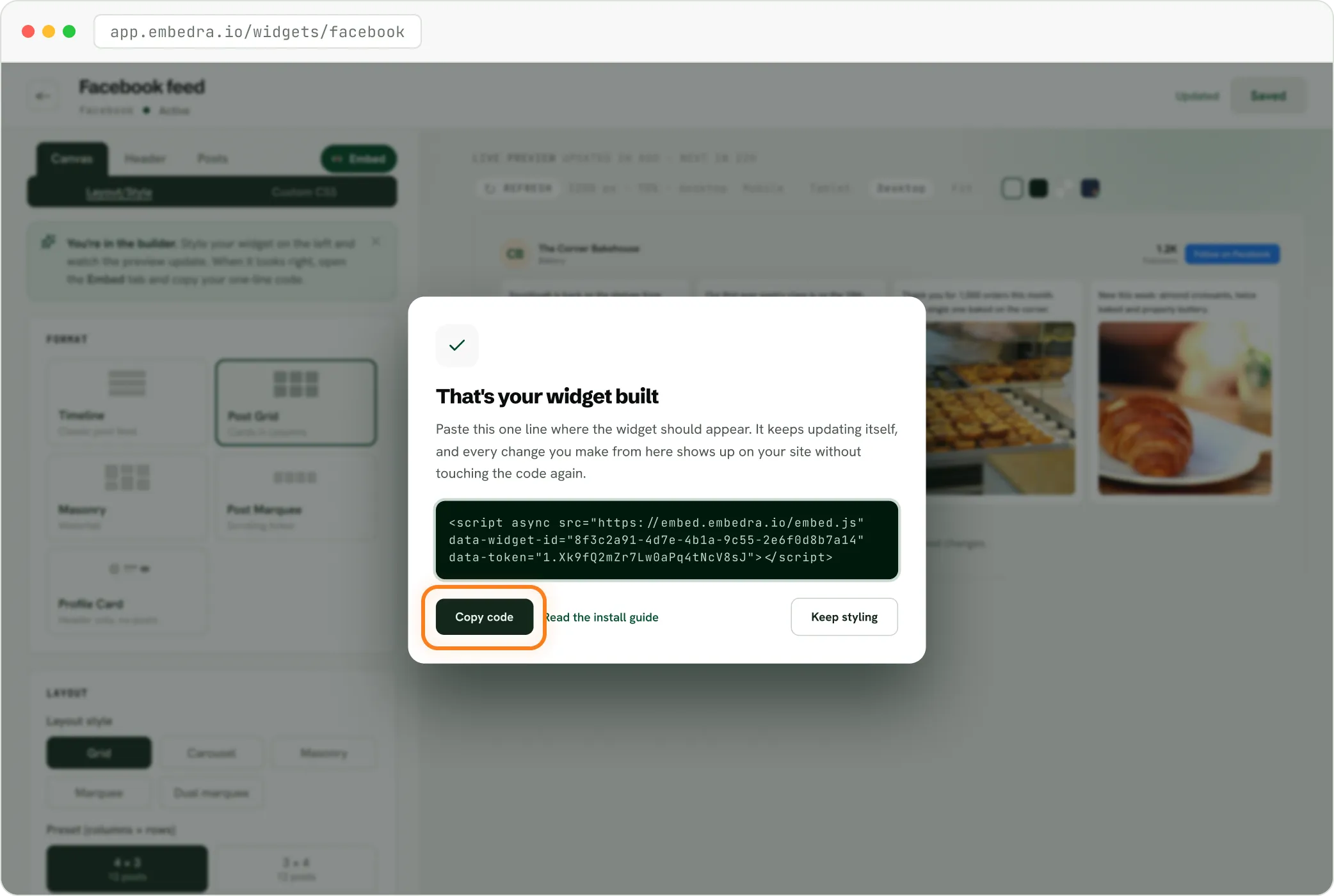
Step-by-step guides: Webflow, WordPress, Wix, Shopify, Squarespace, Framer and plain HTML.
Straight answers, so you know exactly what the feed covers.
Show your Page's latest posts, with photos, likes, comments and shares.
Keep them current: daily on Free, up to every 5 minutes on Business.
Load nothing from Facebook in your visitors' browsers, and set no cookies.
Keep your last good posts on show if Facebook has an outage.
It does not play videos on your site. A video post shows its picture and opens on Facebook.
It does not show Events or Messages tabs, or let visitors like and comment from your site.
It does not show more than your 12 latest posts, or a Page you do not have full control of.
If your site builder lets you paste a line of custom code, Embedra works. Seamless integration with Webflow, WordPress, Shopify, Wix, Squarespace, and HTML.
Every plan includes the Facebook feed. It counts a view each time it loads, and a visitor counts once every 30 minutes.
Most popular
75,000 monthly views
Any 10 widgets
Unlimited domains
Custom CSS / JS
5 projects
No badge
Usually one of four reasons: it is a Like or Comment button, which Meta switched off on 10 February 2026; the Page has age or country restrictions; the box is outside 180 to 500 pixels wide; or the visitor's browser blocks Facebook's script.
Yes, for other websites. Since 10 February 2026 Meta's Like and Comment buttons render as an invisible element, and Meta offers no replacement. The Page Plugin, the Share button and Embedded Posts are still available.
Yes. Embedra's Facebook feed shows your Page's latest posts as part of your site, in your colours and at any width. Nothing loads from Facebook in your visitors' browsers.
No. You log in with Facebook and pick a Page you have full control of. Facebook does not offer personal profiles to apps either.
Yes, on your plan's schedule: daily on Free, every 6 hours on Starter, hourly on Pro and every 5 minutes on Business. If Facebook is down, your last good posts stay on show.
The Free plan covers one widget and 500 views a month, with a small Powered by Embedra badge.